HomeKit Door Lock and Apple Home Key: A Compatibility Guide
How a HomeKit door lock and Apple Home Key work, what to check for HomeKit compatibility, and whether an Apple Home smart lock fits your home or office.
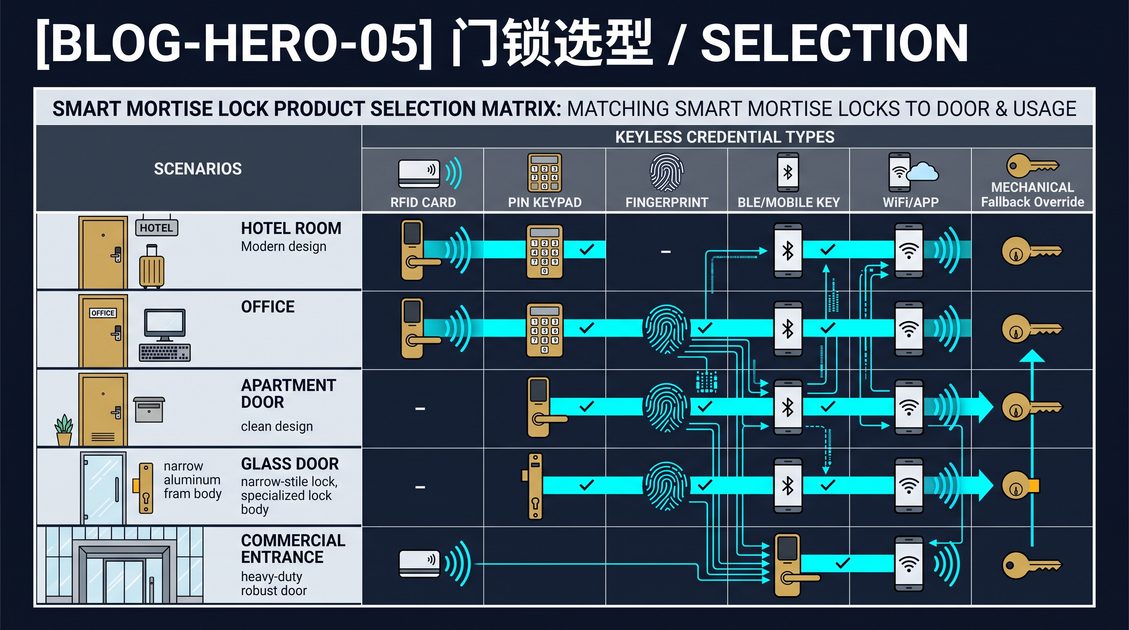
A HomeKit door lock is a smart door lock that works with Apple Home, so you can lock, unlock, and check the lock status from the Home app, with Siri, and in automation scenes alongside other HomeKit accessories. It builds on the modern smart home standard, Matter, which lets one lock work across Apple Home, Google Home, and Amazon Alexa through a common protocol. This guide explains how a HomeKit door lock and Apple Home Key work, what to verify for compatibility, and whether an Apple Home smart lock is the right choice for your door.
How a HomeKit Door Lock Works
A HomeKit door lock connects to your Apple Home network and is controlled through the Home app. When you add the lock, it appears alongside your other HomeKit devices; you can lock and unlock it manually, ask Siri to do so, and build automations, such as locking the door when you leave or unlocking when a scene runs. Because the lock is integrated into Home, it shares the ecosystem's security model and can be controlled from iPhone, iPad, Mac, Apple Watch, and HomePod.
Modern HomeKit door locks are built on Matter, the cross-platform smart home standard, which is the key to their compatibility. A Matter lock speaks one protocol that Apple Home, Google Home, and Amazon Alexa all understand, so the same lock works across ecosystems rather than being locked to one. When you buy a HomeKit-compatible lock, you should check whether it uses native HomeKit or Matter; a Matter lock offers the widest flexibility and is the current direction of the market.
Apple Home Key and Its Difference
Apple Home Key is a separate feature that lets you unlock a compatible lock with your iPhone or Apple Watch by holding it near the lock, using NFC. It is distinct from controlling the lock through the Home app: Home Key is a physical tap-to-unlock credential stored on your Apple device, while Home app control is a manual or automated command. Home Key works even when you are near the door and is designed for speed, letting you unlock without opening an app.
Not every HomeKit door lock supports Home Key. Home Key requires the lock to support NFC and to be certified for the feature, so a HomeKit-compatible lock does not automatically have Home Key. If Home Key is important to you, verify the lock explicitly supports it, and note that Home Key is part of the broader category of digital mobile credentials, issued through a platform and revocable like any secure credential. A lock that pairs Home Key with a keypad, a card, or a mechanical key gives you both speed and a reliable fallback.
What to Check for HomeKit Compatibility
When choosing a HomeKit door lock, verify the standard, the Home Key support, the fallback, and the power arrangement. Confirm the lock is Matter-based or certified for HomeKit, so it actually appears in the Home app and is not merely claimed to be compatible. Confirm whether Home Key is supported if you want tap-to-unlock. Confirm the lock has a keypad, card, or mechanical key as a fallback, because a lock that relies only on an Apple device can strand a user with a dead phone. Confirm the battery and power arrangement, because connectivity and app features draw power, and a HomeKit lock should report battery level.
HomeKit compatibility is a convenience layer over the same selection criteria as any smart lock. The door structure, opening method, connectivity, battery, security, and management still decide whether the lock fits and is reliable. This guide recommends choosing a HomeKit door lock that also supports Matter for the widest compatibility, pairs Home Key with a fallback credential, and is certified and secure, so you get the Apple Home experience without sacrificing the fundamentals of a good electronic lock.
Before choosing, confirm how the lock behaves when it loses its HomeKit or Matter connection, because an accessory that requires the hub to unlock is fragile. Check that the app provides a clear status, that Siri commands cannot override an access policy, and that a user without an Apple device can still enter. A HomeKit door lock should feel like a natural part of the home, not an extra dependency, so verify both the ecosystem experience and the basic reliability of the physical lock.
Not sure which sensor fits your project?
Talk to our mmWave application engineers for a free consultation.
Specify your hotel project with our engineers
Send your room count, ceiling type, and protocol preference. We will return a sample plan and quote within 24 business hours.
- Move from general guidance into a product or application discussion.
- Use RFQ when pricing, drawings, MOQ, or launch timing needs structure.
- Keep a direct contact path visible for fast clarifications and handoff.