Auto Door Lock and Self-Locking Door Locks: How Automatic Locking Works
How an auto door lock and self-locking door lock work, what to compare for reliability, and whether an automatic locking door is the right choice for home or business.
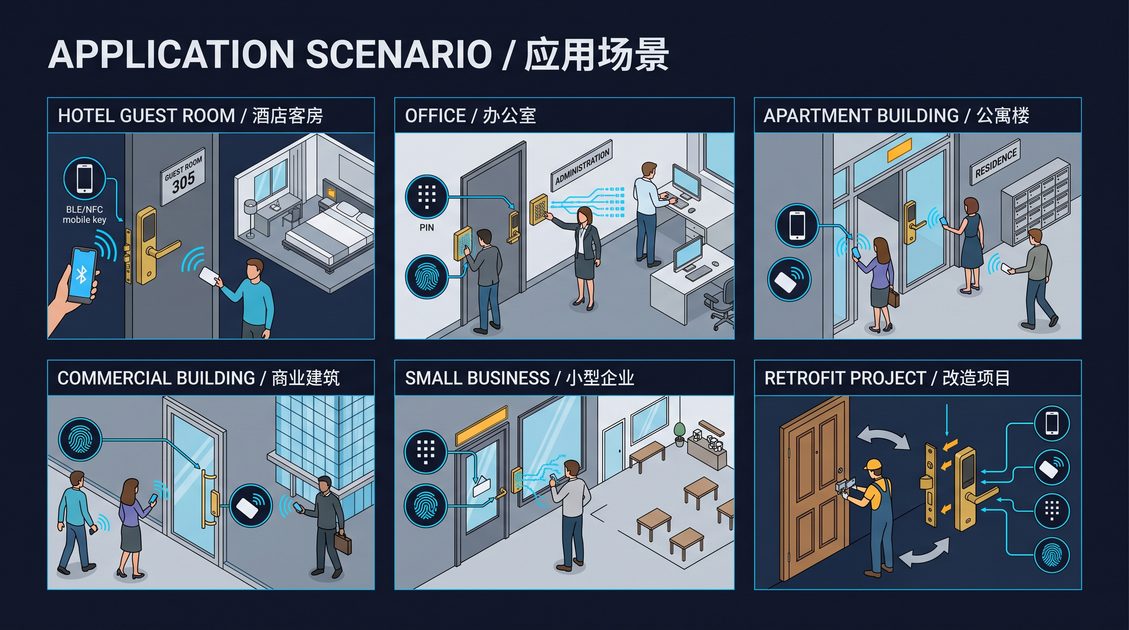
An auto door lock is a smart door lock that locks itself after the door closes, so the door is never left unlocked, whether by accident or by a user who forgot to lock it. It is a specific behavior of many electronic locks, called auto-lock or self-locking, and it is one of the most valuable safety and security features a lock can offer because it removes the human error of leaving a door unlocked. This guide explains how an auto door lock works, what to compare for reliability, and whether an automatic locking door is the right choice for a home or a business.
How an Auto Door Lock Works
An auto door lock automatically engages the bolt when the door closes, without the user pressing a button. The lock detects that the door has closed, typically through a sensor or a mechanical trigger, and then drives the bolt into the strike to secure the door. The behavior is configurable on most locks: you can set a delay after closing, choose whether the lock always auto-locks, and, on some models, decide whether it locks on every close or only when armed.
The value of an auto door lock is reliability and safety. It guarantees the door is locked, which matters for a front door, a back door, or a commercial door where an unlocked door is a genuine security hole. For a home, it removes the worry of leaving the door open. For a rental or a business, it ensures the door is secured at the end of the day without depending on the last person to remember. An automatic locking door is a defense against the most common lock failure of all, the human one.
Comparing Auto Locking Reliability
When comparing an auto door lock, the key criteria are detection reliability, configurable behavior, emergency access, and battery. Detection reliability is whether the lock reliably knows the door has closed; a lock that triggers on a partially closed door or fails to trigger when the door closes quietly creates a false lockout or a security gap. Configurable behavior matters because not everyone wants an auto-lock on every close, especially in a home with children or frequent traffic. Emergency access and battery work as with any smart lock, but an auto lock that engages repeatedly draws power, so battery reporting is important.
An auto lock must never create a lockout. If the door closes and auto-locks while a user is outside without a credential, the user is stranded, so a well-designed auto door lock always preserves a fallback, such as a keypad, card, fingerprint, mobile key, or mechanical key. This guide recommends choosing an auto door lock with reliable closure detection, configurable auto-lock, a clear emergency-access path, and central battery reporting for multi-door deployments, so the convenience of automatic locking never becomes a reliability problem.
When Auto Locking Is Right for You
An auto door lock is a strong choice when an unlocked door is a real risk, which is most front doors, rear doors, and commercial entrances. For a home, auto-lock is a peace-of-mind feature that guarantees the door is secured. For a rental or short-term property, auto-lock ensures a guest cannot leave the door open and that the unit is secure after check-out. For a business, auto-lock secures the entrance at the end of the day without relying on the last person to lock up.
The trade-off is the dependence on detection reliability and the small power cost of repeated auto-locking. A well-made auto door lock with configurable behavior and a reliable fallback is a genuine security upgrade; a poorly made one can lock out users or leave the door open. Apply the same framework as any keyless entry decision, require reliable closure detection and a fallback, and an auto door lock will be one of the most useful features on your door.
Part of this article content is generated by AI and optimized for professional accuracy and readability.
Not sure which sensor fits your project?
Talk to our mmWave application engineers for a free consultation.
Specify your hotel project with our engineers
Send your room count, ceiling type, and protocol preference. We will return a sample plan and quote within 24 business hours.
- Move from general guidance into a product or application discussion.
- Use RFQ when pricing, drawings, MOQ, or launch timing needs structure.
- Keep a direct contact path visible for fast clarifications and handoff.