门禁键盘选购指南:安全门规划实务
本门禁键盘选购指南详解密码凭证、门锁匹配、供电方式、联网选项、无障碍设计、日常维护,助您构建可靠的门禁系统。
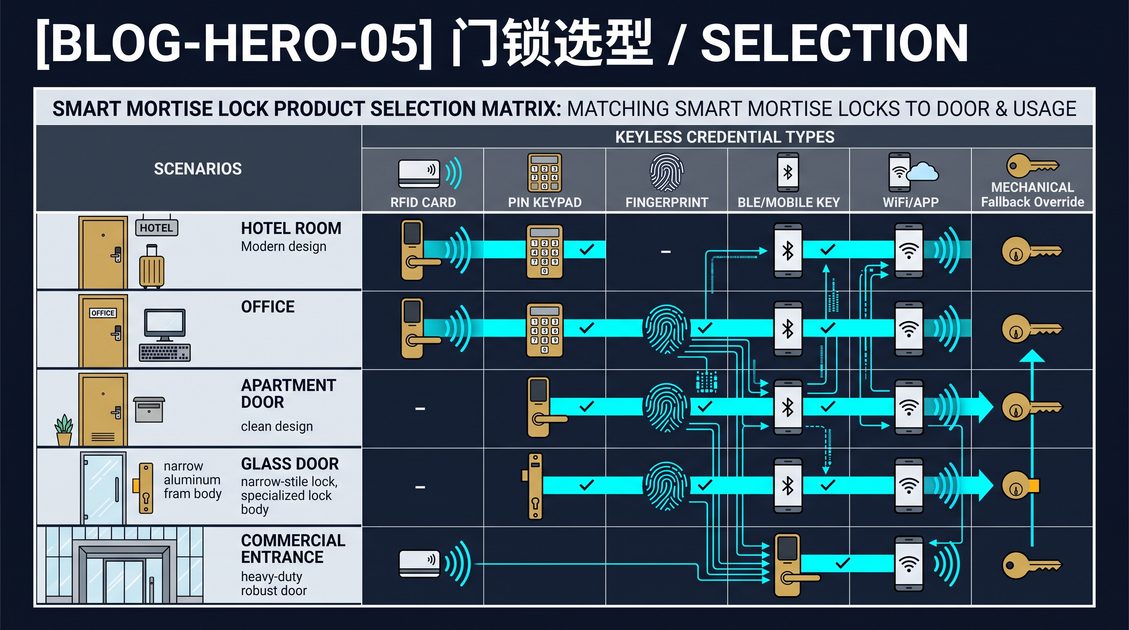
门禁键盘是一种入口设备,用于验证数字凭证,并在授权规则满足时释放兼容的门锁、电锁口或控制器。一套合理的门禁系统需要将合适的密码策略与门体五金、供电、出口、环境保护、管理员控制以及文档化的恢复方法相结合。独立键盘可服务于小型办公室、储藏室和员工门,而联网系统则支持跨更大物业的时段管理、个人凭证、审计事件和远程吊销。键盘并非一劳永逸的安全解决方案:薄弱的门体结构、共享密码、安装偏移或未经测试的紧急行为都可能让一个性能出色的设备形同虚设。请将门禁点视为一个完整的系统工程,并在日常使用前对确切配置进行测试。本门禁键盘选购指南将把这些基础要素扩展为硬件选择、布线决策、凭证管理、合规性问题和验收测试,从而区分一个可靠的门禁入口与一个在最关键时刻掉链子的入口。
门禁键盘选购指南:明确门体与使用者
本门禁键盘选购指南从门体本身开始,因为读卡器无法纠正不合适的门锁或不安全的出口布局。首先记录门体材质、厚度、开门方向、门框状况、铰链、闭门器、锁舌、锁扣板、锁体以及现有门禁设备。然后确定用户群体、通行流量、运营时间、天气暴露情况,以及访客或承包商是否需要临时进入权限。私人办公室可能只需要几个记名用户;而共用设施可能需要数百个限时凭证并进行集中管理。将身份验证与物理安全决策分开:键盘负责确认凭证,而门锁必须稳固门体并安全释放。在确定钻孔位置或选择电动五金之前,确认门体是否具有防火等级、是否为无障碍通道或属于必经疏散路线的一部分。门体勘察是最便宜但最关键的一步,因为几乎所有后续决策——为电锁口供电、选择锁体或规划出口测试——都取决于您仅用卷尺和手电筒在一次勘察中就能收集到的信息。
梳理凭证需求
创建一张访问矩阵,列出每个角色、允许通行的门、时段、凭证有效期、审批人和吊销负责人。这样可以防止一个方便共享的密码演变成无法追踪的万能钥匙。确认用户是需要仅密码进入、密码加刷卡、移动凭证,还是机械应急开启。考虑换班、清洁人员、快递员和应急响应人员的需求。访问变更越频繁,记名凭证和集中管理的价值就越高。对于用户不足十几人且人员流动率低的场所,带简易密码表的独立键盘可能是最简单合理的方案;而对于拥有数百名用户、承包商并执行强制时段管理的场所,则应从一开始就规划控制器和目录,而不是事后改造。
了解通行流量与运营时间
区分高峰流量与常规流量,因为流量会影响电池寿命、易损件,甚至闭门器是否足够。统计每小时的有效进入次数,并找出那些为了方便而经常被撑开的门——这些门通常需要额外的监控,或配备与消防系统联动的磁力保持装置,而不是更坚固的锁舌。记录场所的运营时间,确认该时段是否与键盘自身的时钟同步,以及夏令时或时区变化是否会影响设定的时间窗口。如果用户在换班时集中到达,请确认键盘能够快速连续处理多次进入,不会丢失凭证或将释放延迟到令人不适的程度。
记录门体结构
写下门体材质、厚度、重量,以及是空心金属门、实木门、铝门、带中梃的玻璃门还是复合门。记录开门方向(铰链在哪一侧,是内开还是外开)、门框类型以及锁扣板的状况。一个完美验证通过的读卡器,无法弥补因锁扣板未对准而导致锁舌未能完全啮合的情况,也无法弥补因铰链导致门体下沉而与闭门器卡滞的问题。记录现有五金的品牌和型号,以便确认您提议的电锁口或锁体与现有开孔在物理上兼容。注意门体是否具有防火等级或属于必经疏散路线,因为这些分类限制哪些孔可以钻、哪些五金可以安装。
门禁键盘选购指南:硬件类型与形态
本门禁键盘选购指南应区分三种主要的硬件拓扑,因为它们驱动着成本、布线和维护方式。仅键盘读卡器验证密码并输出干接点继电器信号或 Wiegand/OSDP 信号给独立的电锁口、磁力锁或控制器。键盘加读卡器一体机在同一外壳内结合数字键盘与非接触式或智能卡读卡器,支持第二因素认证。一体化键盘门锁直接安装在门体上,释放机构内置,通常为电池供电且独立运行。每种拓扑适用不同的门体:仅键盘读卡器适用于已有电锁口的门,而一体化键盘门锁适用于不应单独电气化的住宅风格门。选择时应基于门锁将如何实际释放,而非外观最吸引人的外壳,并将凭证容量和维护负担与实际预期的用户数量相匹配。
仅键盘读卡器
当已计划安装电锁口或磁力锁时,仅键盘读卡器是最简单且通常最经济的选择。它在内部保存凭证表或将其转发给控制器,当输入有效密码时,它激活一个继电器,在可编程的时间段内释放锁定点。典型的继电器输出是适用于锁电流的干接点,常见的释放时间在几秒到一个人通过所需的时间之间。读卡器从电源汲取的电流较低,这简化了后备电源的计算。主要限制在于读卡器本身无法感知门是否真正关闭,因此应配合门磁开关使用,在安全门上,如果锁需要可靠地重新上锁,还应配合出门请求传感器。
键盘加读卡器一体机
键盘加读卡器一体机在数字键盘之外增加了非接触式凭证接口,通常是 13.56 MHz 智能卡读卡器或低频感应读卡器。其优势在于灵活性:用户可以输入密码、刷卡,或将两者结合进行双因素认证——卡提供身份,密码证明持卡人知道关联的机密。有些一体机通过在注册时存储卡与密码之间的关联,在一次操作中同时读取两者。这些一体机的安装稍显复杂,通常需要一个带防拆开关的小型面板,其凭证容量和卡格式应在采购前记录在案,以免第一天就使现有卡片失效。
一体化键盘门锁
一体化键盘门锁将控制器、键盘和释放机构集成在一个安装在门体上的单元中。大多数使用四节或六节 AA 或 123 型电池供电,无需从门框穿线即可安装。其代价是维护责任:电池、机械磨损和固件都位于门体上,因此备用单元和文档化的电池更换流程至关重要。一体化门锁通常提供密码、遥控和移动凭证选项,并在本地存储时间表。它们非常适合内部办公室、储藏室和低流量员工门,在这些场景下改造电锁口可能大材小用,同时它们保留了在键盘电子部分故障时进行机械重锁的能力。
三种拓扑对比
| 拓扑类型 | 典型供电 | 布线 | 最佳适用场景 | 关键权衡 |
|---|---|---|---|---|
| 仅键盘读卡器 | 有线,低电流 | 线缆至电锁口/控制器 | 已有电锁口的门 | 读卡器无法确认门是否关闭 |
| 键盘加读卡器一体机 | 有线或 PoE | 线缆加卡接口 | 多凭证场所 | 卡格式兼容性 |
| 一体化键盘门锁 | 电池 | 门框无穿线 | 内部办公室、储藏室 | 电池与维护均在门体上 |
门禁键盘选购指南:制定可靠的密码策略
本门禁键盘选购指南应将凭证视为受管理的记录,而非写在墙上的永久秘密。个人密码可提供问责性,因为事件可以与具体人员或角色关联;基于角色的密码可以在人员流动率高时简化操作,但需要及时更换。设置设备支持的最小长度,限制连续失败次数,并定义在故障期间不会困住授权用户的锁定行为。为承包商和访客设置过期日期,禁止使用明显的序列,并在调试期间删除安装商或工厂默认凭证。使用记名身份和多因素认证保护管理员账户。审查谁可以创建、导出、重置或删除密码。说明如何验证遗忘的密码、如何吊销泄露的凭证,以及如何在不绕过审批的情况下恢复访问。密码策略的强度取决于其最薄弱的共享机密,因此应将长度和锁定规则与现实的身份验证和恢复流程相结合。
设置长度、锁定与防重放规则
设置与设备和风险评估相匹配的最小密码长度;许多现代键盘接受四到八位数字,对于高价值门禁点,即使输入稍慢,也应使用更长的密码。限制连续失败尝试次数——通常为三到五次——然后进行短暂锁定或触发系统警报,但务必确保锁定时间不会过长,以免在无后备方案的情况下将合法用户困在门外。选择键盘是否接受重复或连续数字;禁止诸如重复或递增序列等明显模式可降低被猜中的风险。在联网系统中,确保防重放保护和时间段限制与对卡片的限制完全一致,这样员工离职后,共享密码就无法被无限期地重放使用。
平衡便利性与问责性
避免无风险理由地强制频繁更改;可预测的替换可能会产生更弱的密码。在怀疑凭证泄露、人员离职或出现明确风险事件后更改凭证。将恢复码离线保存、限制接触范围并登记在册。如果键盘支持审计日志,请定期将密码分配与员工或租户记录进行比对。切勿将可见的应急密码等同于受控的紧急释放。无明确原因每月轮换密码的策略往往导致便利贴上墙和肩窥;而仅在记录在案的触发事件时轮换的策略则兼顾可用性和证据质量,因为每次更改都与管理员可以审查的真实事件相关联。
门禁键盘选购指南:超越密码的凭证类型
本门禁键盘选购指南应将数字密码视为几种凭证类型之一,因为设计良好的系统通常支持密码、卡片、移动凭证和机械钥匙的组合使用。确定哪些凭证是日常用户的主要凭证,哪些保留用于恢复或偶尔进入。密码方便但可见且易猜;卡片更难被肩窥,但可能丢失或在介质不安全时被克隆;移动凭证增加了发放便利性,但依赖于设备所有权和应用安全性。建立层级结构,使丢失卡片、遗忘密码和移动钱包失败分别具有独立且可审计的恢复路径,而不是由一个绕过所有控制的单一应急密码替代。记录哪些凭证可离线使用,这样用户绝不会仅仅因为网络不可用而被锁在门外。
仅密码与双因素认证
对于低风险的内部房门,单独使用密码或许可以接受。对于服务器机房、现金处理区或任何一个单一机密泄露就会造成实际风险的入口,应要求双因素认证——通常是卡片或移动凭证加密码——这样仅拥有其中一种元素而缺少另一种就无法进入。考虑第二因素用户是随身携带的凭证还是记忆的机密;卡片加共享密码名义上是双因素,但如果密码写在卡片上则形同虚设。选择键盘可以在一次操作中强制执行的双因素流程,而不是迫使现场管理员进行手动干预的令牌。
移动凭证与临时凭证
许多现代键盘和读卡器接受发放到智能手机的凭证,这简化了为一周工期的承包商或一下午的配送司机添加权限的过程。评估移动凭证如何被保护、如何远程吊销,以及在手机无网络连接时是否可离线使用。请记住,手机可能丢失、被借用或遗留在车内,因此对移动凭证应用与卡片相同的锁定和审计规则。对于承包商,设置明确的过期日期并在合作结束时吊销访问权限,而不是依赖经常被遗忘的徽章归还。
机械应急开启与恢复
每个键盘系统都需要文档化的机械或管理应急方案,用于应对读卡器故障、密码遗忘或电池耗尽。确定该应急方案是机械钥匙锁芯、经批准的管理员密码还是远程释放,并记录由谁持有以及在什么条件下可以使用。可自由获取的应急方案会使整个键盘形同虚设,因此应急凭证应限制接触范围、登记在册并进行审计。记录使用应急方案后重新确保门禁安全的步骤,包括重置任何锁定计数器和确认门确实重新上锁。
门禁键盘选购指南:门锁硬件与释放接口
本门禁键盘选购指南如果不将读卡器与物理释放机构匹配则是不完整的,因为如果门锁从不打开,再准确的凭证检查也毫无价值。常见的释放点包括门框上的电锁口、门楣上的磁力锁、电动锁体或一体式门锁单元。每种都有不同的电流、安装方式和失效模式。电锁口从门框侧释放锁舌,非常适合木质或空心金属门框;磁力锁通过磁力保持门体并即时释放,但不提供机械锁定,且需要持续保持电流。电动锁体将释放机构集成到门体本身,适合高流量、防火等级的门。确认键盘的继电器额定值是否满足门锁的浪涌电流,或添加外部继电器或电源来保护读卡器的触点。
输出与电锁口和控制器匹配
确定键盘是提供干接点继电器输出,还是提供到独立控制器的数据接口。使用干接点时,键盘的触点直接切换门锁电源;使用控制器时,键盘发送 Wiegand 或 OSDP 数据并由控制器做出决定。如果键盘直接驱动门锁,请验证读卡器继电器与电锁口或磁力锁之间的电压和电流兼容性,包括门锁通电时的浪涌。如果它上报给控制器,请确认布线协议以及任何上拉电阻或终端要求。记录哪个设备做出释放决定,以便在门无法打开时从正确的起点开始排查问题。
Wiegand 与 OSDP 注意事项
Wiegand 是一种传统的、电气简单的信号格式,因只需少量导体且无需寻址而仍然常见,但它不携带加密并且仅传输数字 ID。OSDP(开放监督设备协议)在读卡器和控制器之间增加了受监督、可寻址和加密的通信,因此新型系统更青睐它。如果键盘读卡器必须与现有控制器互操作,请在购买前确认协议和固件兼容性。记录确切的接线引脚定义,并通过实际线缆测试有效和无效凭证,因为长距离传输和不良端接会在导致明显断路之前就使数据信号劣化。
门磁开关与出门请求
只验证凭证的读卡器无法判断门是否真正关闭或是否有人走出。添加门磁开关以在门未关时报告状态,并添加出门请求传感器,使用户可以离开而不触发警报。在具有自动重锁功能的系统中,门磁开关还可以防止锁在有人还在通过时猛烈关闭。将键盘的释放逻辑与这些信号结合,使未上锁的门产生警报而不是默默保持脆弱状态。测试有效进入后缓慢通过且门未完全关闭的场景。
门禁键盘选购指南:布线与供电规划
本门禁键盘选购指南必须像规划凭证路径一样仔细规划供电路径,因为电压、电流和后备电源决定了门在最需要时是否能正常工作。键盘通常在 12 或 24 VDC 下运行,电流消耗从待机时的几十毫安到电锁口或磁力锁通电时更高的浪涌电流不等。选择额定功率能满足其供电的所有设备——读卡器、门锁和任何控制器——的总负载,并留出浪涌和未来设备的余量。根据距离选择合适线径,因为长距离线缆上的电压降可能使门锁低于其工作阈值,即使读卡器看起来正常。规划后备电源策略:电源上的电池、不间断电源,或允许出口的合理断电策略。
12/24 VDC 与 PoE 选项
一些读卡器和控制器支持以太网供电(PoE),通过单根线缆同时传输数据和电力,这简化了已有结构化布线的安装。PoE 通常通过线缆提供约 48 VDC 并在设备端转换,因此请确认读卡器的输入范围和交换机的可用供电预算。其他设备设计为标称 12 或 24 VDC 供电,在长距离线缆或较高锁电流时常用 24 VDC,因为在给定功率下电流减半。切勿超过设备的额定电压;需要 12 VDC 的读卡器可能被 24 VDC 损坏。记录确切的电源型号、熔断器或断路器额定值,以及在负载下于门锁处测得的实际电压。
电池供电设计
电池供电的键盘省去了门框布线,但将维护责任转移给了运营方。确认电池化学类型、在您的流量下的预期寿命、低电量阈值,以及设备如何在使用前警告用户。定义更换周期并在现场保留备用电池或备用单元,因为电量耗尽的键盘可能在无远程补救措施的情况下将用户锁在外面。选择在取出电池时保留时间表和凭证的键盘,并规划文档化的应急方法——机械钥匙或经批准的密码——以应对电池完全耗尽的情况。测试低电量警告在弱光下的显示效果,以及对于站在门口的人来说是否足够响亮或明显。
浪涌保护与接地
安装在外部或高流量门上的电子门禁设备面临静电放电的风险,在长线缆附近还可能遭受感应浪涌。为金属外壳提供适当接地,在风险需要时在电源和数据线上使用浪涌保护,并遵循制造商推荐的线缆和屏蔽做法。未接地的金属键盘可能会通过用户的手释放静电荷,干扰输入或损坏电子元件。记录接地点并确认其与建筑接地可靠连接,并验证任何靠近雷击风险的安装(如屋顶线、独立大门或周界)都有合格人员设计的额外保护。
门禁键盘选购指南:连接与网络
本门禁键盘选购指南应区分离线、在线和混合模式,因为连接性直接影响吊销、时段管理和审计完整性。离线键盘在本地存储凭证表且从不联系服务器;在线键盘向控制器或云服务报告以进行决策;混合键盘保留本地表但定期同步。确定哪些凭证必须在网络中断时正常工作,以及同步可以延迟多久而不会使时间表过期。对于混合系统,定义吊销与其生效之间的最大可接受延迟,并测试在网络中断期间实际会发生什么——有些设备回退到本地规则,其他设备则锁定或拒绝进入。记录账户、固件和服务依赖关系,使连接问题不会演变为安全和运营紧急情况,并确认网络中断时由谁负责恢复连接。
远程吊销与时程管理
在线系统的主要优势是能够从中心位置吊销凭证、更改时间表或释放门锁,而无需访问硬件。验证吊销是否及时传播并被记录,以及时间表是否在每扇门上应用相同规则。在网络中同步时间,确保审计时间戳和时段边界一致;遵循换班时间表的门,其可靠性取决于它所信任的时钟。测试对您最重要的确切场景——解雇一个不良行为者、到期一个承包商、或在周末打开仓库——并确认更改在您接受的窗口内生效。
本地事件存储与审计日志
确定键盘在本地存储多少事件,以及当缓冲区填满时会做什么——覆盖最旧事件、停止记录还是发出警报。静默覆盖证据的设备,如果您之后需要重建谁进入了,将是一个责任。定义与您的隐私义务一致的事件保留策略,定期导出日志,并限制谁可以读取或删除它们。确保时间戳准确,并且设备时钟的更改不能在被记录事件本身的情况下悄然改变审计追踪。审计日志的价值不在于事件本身,而在于当问题出现时其完整性和可用性。
离线回退行为
对于每个联网键盘,精确记录离线行为:哪些凭证仍然有效、时间表是否仍然适用、门是默认开启还是关闭。需要实时连接验证每个凭证的设备是一个单点故障,可能在网络中断时将人员锁在外面。相反,信任上次已知本地表的设备可能会在吊销后授予过期的访问权限。选择与风险相匹配的行为——通常是识别最近缓存的凭证并在连接恢复时发出警报的混合模式。在调试期间故意测试一次中断,并将预期结果写入运营记录。
门禁键盘选购指南:硬件、供电与连接性综合验证
本门禁键盘选购指南必须将键盘与门锁、电源、控制器、网络和门体几何尺寸一同评估。对照安装条件检查工作电压、电流消耗、线缆距离、电池化学类型、温度范围、防护等级和浪涌保护。电池键盘需要低电量警告、可操作的更换、保留的时间表,以及在电池耗尽时合法的应急方法。有线单元需要受保护的导体和对断电的有测试验证的响应。联网型号可能提供远程吊销和同步时间,但它们也依赖于账户、固件、连接性和服务可用性。确认哪些凭证可离线工作以及同步可延迟多久。确定门锁是断电开启还是断电闭锁,然后通过合格审查将该选择与消防、无障碍和出口义务相协调。将验证视为一次端到端测试,而非一组独立的产品检查。
| 决策领域 | 需要记录的问题 | 忽视则常见的故障 |
|---|---|---|
| 门锁接口 | 输出是否与电锁口、锁体或控制器兼容? | 键盘验证通过但门锁从未释放。 |
| 供电 | 低电量或主电源故障时会怎样? | 用户无法进入或应急行为不明确。 |
| 连接性 | 无网络服务时操作是否继续? | 吊销和时程管理仍然过期。 |
| 环境 | 温度、湿度和人为破坏是否在额定范围内? | 腐蚀、误输入或过早故障。 |
| 释放 | 有效凭证时门是否真的打开? | 密码正确但无机械释放。 |
保护物理安装
钻孔前先测量。保护有额定等级的组件,避免损坏隐蔽布线,并使用适合基材的紧固件。检查锁舌在门关闭时是否完全啮合,以及闭门器是否与门锁相互对抗。室外安装需要防风防雨的处理,而不仅仅是一个高防护等级的外壳。记录设备标识、布线、固件和备件,以备将来维护。固定安装方式,使破坏者无法撬下读卡器,在风险需要时使用防撬紧固件,但不要制造出更换电池时难以维护的表面。
门禁键盘选购指南:出口与失效模式
本门禁键盘选购指南必须将出口视为不可妥协的设计约束,因为入口读卡器绝不能让人离开比进入更难。确定门锁是断电开启(断电时释放并解锁)还是断电闭锁(断电时保持锁定),并将该选择与消防策略、门作为必经出口的角色以及无障碍要求相协调。在必经出口上,门锁必须通过紧急推杆、出门请求信号或建筑消防报警联动在紧急情况下自动释放——而不是通过人员输入密码。在门关闭、黑暗环境中以及真实紧急情况下验证自由出口,并记录谁负责测试释放。在唯一出口上安装没有紧急释放装置的断电闭锁门锁,无论看起来多安全,都是安全缺陷。
断电开启与断电闭锁
断电开启的门锁在断电时解锁,这适用于出口路径和紧急情况下断电应释放人员的场景;断电闭锁的门锁在断电时保持锁定,这适用于高价值房间,断电不应悄然打开门。将每个门禁点匹配到正确的模式:出口门几乎应始终为断电开启或配备紧急释放装置,而服务器机房或现金房可以设置断电闭锁并配备单独的、文档化的应急钥匙。切勿假设一种模式适用于所有门。记录每个门禁点选择的模式,并测试断电时实际会发生什么,因为标注的模式只有在布线和锁扣与其一致时才是正确的。
出门请求与紧急释放
在门内侧提供出门请求设备——紧急推杆、按钮或运动传感器——当人员从内部接近时释放门锁。在安全门上,出门请求还可以设防或撤防门磁报警,使出门不会产生误报。在必经出口上,与紧急推杆和消防报警联动,使消防条件无论键盘状态如何都释放门。从内部门关闭时测试出门请求,并确认即使键盘断电也能工作。记录具体行为:内部释放是否始终有效、是否记录事件,以及是否可以被物体抵住传感器而破解。
应急响应与安全区
定义警报响起、检测到消防条件和断电时会发生什么——并确保这些条件释放人员而不是困住他们。建立安全区,使释放的门不会通向危险区域。确认应急响应人员在需要时可以进入,通过钥匙开关、经批准的主凭证或文档化程序,而不会为所有人禁用系统。为前台或安保办公室编写一份简单、经过测试的应急程序,并与实际执行该程序的人员进行审查。
门禁键盘选购指南:环境与防护等级
本门禁键盘选购指南应将设备的防护等级和工作温度范围与实际环境相匹配,因为安装在阳光直射外墙上的室内读卡器可能在一个季节内就失效。防护等级描述了对固体和水的防护能力:如 IP65 这样的两位代码表示防尘且能承受低压水柱的外壳,而 IP54 提供部分防尘和防溅保护。选择适合安装位置的等级——遮蔽的室内、有遮盖的室外或完全暴露的墙面——并记住暴露的读卡器还面临紫外线、温度波动和凝露,这些都不是 IP 数字单独能涵盖的。对照当地极端温度确认工作温度范围,包括深色外壳上的直射阳光,并在环境需要时增加防风雨罩或遮阳篷。环境保护关乎多年服务中的生存能力,而非一次性的功能检查。
防护等级的实际应用
解读两位 IP 数字:第一位(0-6)对固体颗粒的防护评级,第二位(0-8)对水的防护评级。用于有遮盖、防雨的门厅的读卡器由 IP54 或许足够,而暴露在周界墙上的读卡器应为 IP65 或更高。警惕防护等级与实际安装之间的差距:垫圈位置、线缆入口和排水都会影响等级在安装后是否保持。确保线缆接头和任何底盒安装得当,使水无法流入外壳,并定位键盘使溅水和径流不会积聚在接缝处。防护等级是在清洁、正确组装的前提下验证的;安装人员在垫圈上留下缝隙就使其失效。
温度、湿度与凝露
外门上的读卡器经受热、冷、湿度和凝露,这会使光学器件起雾、腐蚀触点,并使电池消耗速度超出预期。对照当地气候确认工作温度范围,并考虑太阳加热效应,阳光明媚的下午深色外壳可能远高于环境温度。在潮湿环境中,密封未使用的线缆入口,并考虑排水孔或呼吸器,使水分不会在密封外壳内凝结。寒冷天气下电池供电的键盘因电池电压下降而汲取更多电流,缩短寿命并比温暖室内更早触发低电量警告。围绕这些季节性影响规划维护,而不是在冬季锁门事件中才发现问题。
防破坏与防拆
在破坏、涂鸦或强行闯入企图是现实风险的地方,选择具有坚固金属外壳、可报告拆除的防拆开关和防撬紧固件的读卡器。考虑抗冲击结构和易于清洁的表面处理。请注意,防拆报警只有到达监控点才有用,因此确认防拆输出已接线并经过测试。在防护性与可维护性之间取得平衡——加固到技术人员无法更换电池的外壳会助长破坏安全性的捷径。记录防拆行为并将其作为调试的一部分进行测试,使盗窃企图产生警报而不是无声的缺口。
门禁键盘选购指南:标准与合规性
本门禁键盘选购指南应指出适用于安装的标准,因为合规性影响您可以使用哪些硬件、如何布线以及如何记录工作。相关考量因地区和门的作用而异:消防安全标准规范防火门和出口门上的硬件,电气标准规范低压布线和电源,无障碍规则规范安装高度和可触及控制,隐私法规规范进入记录的收集和保留。许多产品在适用时带有 CE/FCC/RoHS 类合规声明,但产品声明不等于建筑层面的合规决策。在确定配置之前,请咨询合格专业人员——建筑测量师、电气工程师或生命安全顾问——确认哪些要求适用于实际场地。将最终获得批准的图纸和检查记录与调试文档放在一起,以便未来的更改可以对照同一基线进行审查。
防火门与必经出口
在防火门上,如果门体被不当改造,添加读卡器和电动五金可能损害防火等级。保留有额定等级的组件,遵循制造商对任何开孔或五金的说明,未经必要批准不得切割防火材料。在必经出口上,释放机构必须按规范要求运行——通常是无须任何特殊知识的自由出口——并且硬件必须列名用于该用途。不要假设标榜门禁的产品就自动获准用于消防出口。记录门体的防火等级、安装的五金以及接受该配置的权威机构。
电气与低压合规性
低压门禁硬件仍必须按照电气标准安装:正确的导体尺寸、应力消除、电源上的熔断或断路保护,以及与主电源的安全隔离。额定不足的电源、未接地的外壳或与门框摩擦的线缆,即使是在 12 或 24 VDC 下也可能造成火灾或触电危险。让合格电工验证电源、接地以及与任何电锁口或磁力锁的连接,并保留工作记录。使用 PoE 时,确认交换机和布线符合相关 PoE 标准,且供电预算涵盖每个设备。
隐私与数据保护
进入事件——谁进入、哪扇门、什么时间——在许多司法管辖区是个人数据,因此只收集运营目的所需的信息,并限制授权管理员的访问。在启用集中日志之前定义保留、删除、导出和泄露响应,并对任何云处理保持透明。发布或记录清晰的政策,使管理员知道日志保留多久以及谁可以阅读。没有保留规则而悄然积累多年位置和时间数据的键盘系统,是一个随每次进入而增长的合规风险。将保留期限与审计日志的运营价值以及适用于您所在地区的法律要求相协调。
门禁键盘选购指南:管理与时程设置
本门禁键盘选购指南应在调试之前定义管理模式,因为没有明确负责人、没有审批路径、没有吊销流程的系统将逐渐滑向共享密码和过期访问。为门禁点指定记名管理员和后备人员,并在创建凭证、审批更改和读取审计日志之间分配不同角色。建立请求与审批路径,使访问是经过深思熟虑的授权,而非任何碰巧持有主密码的人。执行与运营时间匹配的时间表,并按定义的时间间隔对照员工或租户记录审查凭证列表。记录谁可以创建、导出、重置或删除密码,并确保没有任何单一个人在没有可问责后备方案的情况下持有所有权限。管理是一项持续的责任,而非一次性的配置,管理的质量决定了审计日志在系统生命周期中保持其价值。
定义角色与审批路径
将请求访问的人与批准的人以及实施的人分开。典型模式有请求者(员工或经理)、审批人(门所有者或安全负责人)和管理员(编程设备的技术人员)。每次新增或更改凭证都要求有审批人,并保留决策记录。将管理员凭证限制为记名身份,并考虑对最特权账户使用多因素认证,因为共享或明文存储的管理员账户是整个门的万能钥匙。定义审批人不可用时的处理方式——文档化的升级路径,而非临时绕过。
时程与基于时间的规则
编程反映实际运营时间和例外情况(如周末、节假日和维护窗口)的时间表。确认设备一致地应用时间表,并确保时间同步,使午夜换班准确无误。对于承包商和访客,设置明确的时间窗口和过期日期,而不是留下开放式的凭证。在运营时间变化后审查时间表,并确保过期或吊销的凭证立即失效,而不是等到下次同步。测试边界情况——凭证恰好在一个班次变更时到期——以确认设备行为符合预期。
审计审查与对账
安排定期审查审计日志和凭证列表,并将其与员工、租户或承包商记录对账。查找不应再拥有访问权限的用户、共享或未使用的密码,以及暗示滥用的异常时段进入。这种审查是将审计日志从被动记录转变为控制手段的机制。定义谁进行审查、多久一次,以及发现差异时采取什么行动。从未对账的凭证清单在创建那一刻就实际上过期了,因为人员流动和变化比任何一次性配置都累积得更快。
门禁键盘选购指南:安装、调试与维护
本门禁键盘选购指南如果没有可重复的验收测试则是不完整的。在移交之前,测试有效、过期、吊销和无效凭证;连续失败;时段边界;门磁状态;手动释放;电源中断;网络丢失;低电量;以及文档化的恢复路径。确认门能可靠关闭和锁止,内部出口保持直观,警报能到达负责行动的人。删除工厂和安装商账户,记录最终配置,并培训管理员进行审批、吊销、备份和事件报告。在最初几周内,将拒绝尝试、支持请求和电池警告与原始假设进行对照审查。通过受控流程更新固件,并按既定时间表对凭证清单进行对账。先在一个有代表性的门禁点进行试点,比立即全站部署更安全,因为一扇真实门上的经验教训远比事后大规模更改的成本低得多。
建立验收测试清单
编写一份测试脚本,覆盖管理员关心的全部条件矩阵:有效的新凭证、过期凭证、吊销凭证、无效密码、连续失败后的锁定、即将结束的时间表、门未关、手动释放、电源中断、网络中断、低电量以及文档化的恢复路径。运行脚本两次——一次在受控环境中,一次在真实门上有真实通行流量时——并记录结果。在实验室通过但在实际门禁点、实际电压降和实际门体几何条件下失败的设备,尚未准备好投入使用。将测试脚本保存在运营记录中,以便后续重新测试保持一致。
删除默认设置并验证锁定状态
在调试期间删除工厂、安装商和任何演示凭证,并在首次使用前更改所有默认管理员密码。确认吊销的凭证立即失效,且工厂配置中不存在隐藏后门。验证门在每个故障条件下的行为,并写下预期结果,以便未来的技术人员确认没有发生偏离。如果键盘暴露任何诊断或服务模式,请限制使用权限并记录谁可以使用。保持在工厂默认状态的设备实际上是未上锁的,无论预期的密码策略有多强。
规划维护与固件更新
建立包括电池更换、布线和垫圈检查、释放和出口功能重新测试在内的维护周期。通过受控流程更新固件,包括审查发行说明、备份配置、先在一台设备上测试再广泛部署,因为更改凭证格式或时间表的更新可能破坏正在运行的系统。按既定时间表对凭证清单进行对账,并确认备份可恢复。记录硬件版本、固件版本和任何已知问题,使未来的技术人员与原始安装人员拥有相同的了解。维护是让正确安装的键盘在其预期使用寿命内持续工作的关键。
保存运营记录
为每个门禁点指定一个负责人和一个后备人员。记录硬件版本、固件版本、电源、锁类型、密码权限、维护周期和紧急联系人。在锁更换、网络重新设计、人员变更或安全事件后重新测试。如果用户反复共享密码或将门撑开,在增加技术之前改进流程和监控。维护一份简短的运行手册,描述正常操作、恢复路径以及每种故障类型应联系谁,并将其放在管理员可触及的地方。依赖于一个人记忆的门是一个简单文档即可消除的单点故障。
门禁键盘选购指南:采购与 RFP 指导
本门禁键盘选购指南通过将功能列表转化为验收标准来支持采购。索取支持的锁接口、电压和电流限制、环境等级、凭证容量、离线行为、事件存储、时段处理、管理员角色、固件更新、保修、备件和生命周期结束支持的文档。比较安装总成本,包括控制器、电源、布线、门体准备、人工、调试、培训、订阅以及未来的凭证管理。要求供应商演示确切的门锁硬件和故障场景,而非实验室设置。拒绝无法衡量或无法与提议配置关联的声明。在批准前,获得关于门禁点仍合规且应急程序切实可行的合格确认。选择满足风险、问责性、用户和生命周期要求的最简单系统。将每个关键要求写入投标响应,并要求对不能实现的任何项目书面说明例外情况。
编写需求文档
在联系供应商之前编写一份简短的需求文档:门和用户数量、凭证类型、时间表、离线和失效模式预期、环境条件以及验收标准。清晰的需求陈述使您能够在相同基础上比较供应商,并使供应商难以为完整解决方案替换功能列表。将不可协商项——出口行为、合规性、吊销凭证的能力——与锦上添花项分开,以免决策被一个引人注目但不相关的功能扭曲。确认需求反映的是场地勘察而非通用假设。
估算总拥有成本
计算安装总成本,而不仅仅是读卡器价格:控制器、电源、布线和线管、门体准备、人工、调试、培训、任何订阅或许可证,以及凭证管理和电池更换的持续成本。将一次性资本成本与预期使用寿命内的经常性成本进行比较,并包括停机或锁门事件的成本。一个略微便宜的读卡器如果要求专有订阅或难以采购的电池,五年内的成本可能超过一个稍贵但采用标准供电路径的单元。要求备件和生命周期结束承诺,使决策不会让场所陷入无支持的硬件困境。
评估供应商支持与演示
要求供应商演示确切的门锁硬件和故障场景——真实凭证、吊销凭证、断电、网络中断和出口测试——而非全新的实验室单元。评估支持响应速度、保修条款、备件可用性,以及固件更新是否以受控方式交付。确认谁提供持续管理以及是否包含培训。拒绝无法衡量或无法与提议配置关联的声明,并要求任何报价数字都对照文档化需求进行验证。无法演示故障模式的供应商,也不太可能在服务中支持这些模式。
门禁键盘选购指南:决策实例分析
本门禁键盘选购指南在应用于具体案例时最为有用,因此考虑一个典型的多租户办公室,有前台门、员工入口和服务器机房。前台门需要专业的形象、日间通行流量,以及为到访一下午的承包商添加权限的能力;员工入口有换班流量且必须保持自由出口;服务器机房要求双因素认证和严格的审计日志。每个门禁点需要不同的键盘拓扑和策略,而非一个统一设备。逐门梳理需求展示了先前的决策——凭证策略、失效模式、供电和管理——如何组合成一个连贯的设计。这种示例也揭示了功能列表所隐藏的权衡,因为对一个门禁点正确的答案往往对其相邻门禁点是错误的。
前台门
对于前台门,选择键盘加读卡器一体机,使员工可以刷卡,访客可以获得带过期时间的临时移动凭证。使用建筑电源供电并配备小型电池后备,使短暂停电不会锁住前台。将门设置为断电开启,并配备出门请求,使离店客人自由离开。向员工发放个人密码,向访客发放限时凭证,并在每天结束时审查访客列表。由于前台面向公众,选择适合室内风格的面板,并将安装高度保持在桌面员工可触及的范围内。
员工入口
对于员工入口,使用电池供电的一体化键盘门锁,无需穿过门体布线,同时承担明确的电池更换计划这一维护责任。编程基于班次的时间表并发放个人密码,对任何临时帮手实施过期时间。确认门锁为断电开启或配备内部释放装置,使断电永远不会困住员工。由于换班开始时流量集中,验证门锁能够处理快速连续进入而不会丢失凭证。为罕见的电池耗尽情况保留机械应急开启,并记录恢复路径,使任何人不会在换班期间被锁在门外。
服务器机房
对于服务器机房,使用带双因素认证的键盘加读卡器一体机——卡片或移动凭证加密码——并将其连接到记录每次进入并与门磁开关和出门请求联动的控制器。将门锁设置为断电闭锁,因为开放的服务器机房比临时锁门风险更大,并配备文档化的应急钥匙和受监控的警报。限制谁可以读取审计日志并每月对凭证列表进行对账。由于价值高,添加设备支持的最强密码策略、限制连续失败次数,并要求每次新增凭证都有审批人。这扇门在设计上展示了与员工入口相反的失效模式和凭证姿态。
门禁键盘选购指南:常见错误与常见问题解答
本门禁键盘选购指南应以在其他方面合格的安装中反复出现的错误作为结尾,因为大多数故障是可以预测和预防的。最常见的错误是将键盘视为独立产品而非门禁点的组成部分,这导致读卡器验证通过但无法释放门锁,或与消防和出口策略相冲突。其他错误包括对一切使用共享密码、保留工厂默认设置、忽视电压降和电池寿命、跳过出口测试,以及未能在人员流动后对账凭证。一个系统很少被复杂的攻击击溃;它通常被安装时的一个简单疏忽所破坏。以下问题总结了本门禁键盘选购指南所涉及的决策,使规划者可以在几分钟内验证要点。
常见规划错误
- 在选择读卡器时未确认它必须驱动的释放机构。
- 为整个团队使用一个共享密码,导致没有问责性也没有干净的吊销方式。
- 忘记在首次使用前删除工厂和安装商凭证。
- 电源额定不足或忽视长线缆上的电压降。
- 跳过出口测试并假设断电开启标签意味着门真正释放。
- 忽视环境并在天气暴露的位置安装室内防护等级读卡器。
- 人员流动后让凭证列表漂移且从未对账。
- 将可见的应急密码等同于受控的、受监控的释放。
常见问题解答
什么是门禁键盘?门禁键盘是一种读卡器,当密码与授权记录匹配时,验证数字密码并释放兼容的门锁、电锁口或控制器,可选地与卡片、移动凭证或机械应急开启结合使用。
单独使用密码是否足够安全?密码是单一因素,且可见且易猜;它适用于低风险内部房门,但对于高价值门禁点应与卡片或移动凭证结合使用。
断电开启与断电闭锁有何区别?断电开启的门锁在断电时解锁,适合出口和紧急情况;断电闭锁的门锁在断电时保持锁定,适合高价值房间,每种模式都有文档化的例外情况。
电池应多久更换一次?遵循制造商的指导并根据您的流量和环境进行调整,对低电量警告做出响应,并在现场保留备用电池或备用单元。
键盘在网络中断期间能否工作?许多设备会回退到本地缓存的凭证表;请确认真实的离线行为以及同步可以延迟多久而不会使时间表过期。
最终验收问题
能否及时添加和吊销授权人员?门是否在每种测试条件下按要求释放?管理员能否在不安全绕过的情况下恢复访问?日志是否得到保护并适当保留?组织能否在预期使用寿命内获得电池、零件、支持和配置记录?书面回答使采购决策可审计。如果您能为每扇门回答这些问题,本门禁键盘选购指南就完成了它的工作:凭证、门锁、供电、出口和管理都相互一致,门禁点是一个工程系统,而非零件的集合。
本文部分内容由 AI 生成,并经过专业准确性与可读性优化。 An access control keypad is an entry device that verifies a numeric credential and releases a compatible lock, strike, or controller when authorization rules are satisfied. The right system combines a suitable PIN policy with door hardware, power, egress, environmental protection, administrator controls, and a documented recovery method. Standalone keypads can serve small offices, storage rooms, and staff doors, while networked systems support schedules, individual credentials, audit events, and remote revocation across larger properties. A keypad is not a complete security solution: weak door construction, shared codes, poor alignment, or untested emergency behavior can defeat a technically capable device. Treat the opening as one engineered system and test the exact configuration before routine use. This access control keypad guide expands those fundamentals into the hardware choices, wiring decisions, credential administration, compliance questions, and acceptance tests that separate a dependable entry point from one that fails at the worst possible moment.
Access control keypad guide: define the door and users
An access control keypad guide starts with the opening, because a reader cannot correct an unsuitable lock or unsafe egress arrangement. Begin by recording door material, thickness, handing, frame condition, hinges, closer, latch, strike, mortise case, and existing access equipment. Then identify user groups, traffic volume, operating hours, weather exposure, and whether visitors or contractors need temporary entry. A private office may need a few named users; a shared facility may require hundreds of time-limited credentials and central administration. Separate authentication from the physical security decision: the keypad confirms a credential, while the lock must hold the door and release safely. Confirm whether the door is fire-rated, accessible, or part of a required exit route before selecting drilling locations or electrified hardware. The opening survey is the cheapest and most consequential step, because nearly every later decision — powering a strike, choosing a mortise lock, or planning an egress test — depends on facts you can collect in a single visit with a tape measure and a flashlight.
Map credential needs
Create an access matrix listing each role, permitted door, schedule, credential lifetime, approver, and revocation owner. This prevents a convenient shared PIN from becoming an untracked master key. Ask whether users need PIN-only entry, PIN plus card, mobile credentials, or a mechanical override. Account for shift changes, cleaners, delivery personnel, and emergency responders. The more frequently access changes, the greater the value of named credentials and centralized administration. For a site with fewer than a dozen users and rare turnover, a standalone keypad with a modest code table may be the simplest defensible answer; a facility with hundreds of users, contractors, and enforced schedules should plan for a controller and directory from the start rather than retrofitting later.
Understand traffic and operating hours
Distinguish peak traffic from normal flow, because the volume affects battery life, wearing parts, and whether a door closer is even adequate. Count legitimate entries per hour and identify doors that are frequently propped open for convenience — those doors typically need additional supervision or a magnetic hold-open integrated with the fire system rather than a stronger latch. Note when the space operates, whether that schedule matches the keypad's own timekeeping, and whether daylight savings or time-zone changes affect programmed windows. If users arrive in bursts at shift change, confirm the keypad can handle a rapid sequence of entries without dropping credentials or delaying release beyond a comfortable interval.
Record the door construction
Write down the door material, thickness, weight, and whether it is hollow-metal, solid wood, aluminum, glass with a mullion, or a composite. Capture the handing (which side the hinge is on, and whether it opens in or out), the frame type, and the condition of the strike plate. A reader that authenticates perfectly cannot compensate for a latch that does not fully engage because the strike is misaligned, or a hinge that lets the door settle and bind against the closer. Record the existing hardware brand and model so that any electrified strike or mortise lock you propose is known to be physically compatible with the cutouts already present. Note whether the door is fire-rated or part of a required exit, since those classifications constrain which holes may be drilled and which hardware may be installed.
Access control keypad guide: hardware types and form factors
An access control keypad guide should distinguish the three main hardware topologies because they drive cost, wiring, and maintenance. A keypad-only reader verifies a code and outputs a dry relay or Wiegand/OSDP signal to a separate electric strike, magnetic lock, or controller. A keypad-plus-reader unit combines the numeric interface with a proximity or smart-card reader in one housing, supporting a second factor. An integrated keypad lock mounts directly on the door with the release mechanism built in, often battery powered and standalone. Each topology fits different openings: a keypad-only reader suits a door with an existing electric strike, while an integrated keypad lock suits a residential-style door that should not be electrified separately. Choose based on how the lock will actually release, not on the most impressive enclosure, and match the credential capacity and service burden to the number of users you actually expect.
Keypad-only readers
A keypad-only reader is the simplest and often the most economical option when a strike or magnetic lock is already planned. It holds a credential table internally or forwards to a controller, and on a valid code it energizes a relay that releases the locking point for a programmable duration. Typical relay outputs are dry contacts rated for the strike's current, with a common release interval between a few seconds and the time it takes a person to pass. The reader draws low current from the supply, which simplifies backup calculations. The chief limitation is that the reader alone does not know whether the door actually closed, so it should be paired with a door position switch and, on secured openings, a request-to-exit sensor if the lock must relock reliably.
Keypad-plus-reader units
A keypad-plus-reader unit adds a contactless credential interface, commonly a 13.56 MHz smart-card reader or a low-frequency proximity reader, alongside the numeric keypad. The benefit is flexibility: users can enter a PIN, present a card, or combine both in a two-factor sequence where the card provides identity and the PIN proves the presenter knows the associated secret. Some units read both in a single presentation by storing a link between the card and PIN at enrollment. These units are slightly more complex to mount, often need a small bezel with a tamper switch, and their credential capacity and card formats should be documented before procurement so that existing cards are not invalidated on day one.
Integrated keypad locks
An integrated keypad lock places the controller, keypad, and release mechanism in one unit mounted on the door. Most are battery powered with four or six AA or 123-type cells, making installation possible without routing power through the door frame. The trade-off is service responsibility: batteries, mechanical wear, and firmware all live on the door, so spare units and a documented battery replacement routine are essential. Integrated locks frequently offer PIN, remote, and mobile credential options, with schedules stored locally. They are an excellent fit for interior offices, storage, and low-traffic staff doors where a strike retrofit would be overkill, and they preserve the ability to re-key mechanically if the keypad electronics fail.
Compare the three topologies
| Topology | Typical power | Wiring | Best fit | Key trade-off |
|---|---|---|---|---|
| Keypad-only reader | Wired, low current | Cable to strike/controller | Doors with existing electric strike | Reader cannot confirm door closure |
| Keypad-plus-reader | Wired or PoE | Cable plus card interface | Multi-credential sites | Card format compatibility |
| Integrated keypad lock | Batteries | None across frame | Interior offices, storage | Battery and maintenance on the door |
Access control keypad guide: choose a defensible code policy
An access control keypad guide should treat credentials as managed records, not permanent secrets written on a wall. Individual PINs provide accountability because an event can be associated with a person or role; role-based codes can simplify operations when turnover is high, but they require prompt replacement. Set a minimum length supported by the device, limit repeated failures, and define lockout behavior that does not trap authorized users during an outage. Use expiration dates for contractors and visitors, prohibit obvious sequences, and remove installer or factory credentials during commissioning. Protect administrator accounts with named identities and multifactor authentication. Review who can create, export, reset, or delete codes. Explain how a forgotten PIN is verified, a compromised credential revoked, and access restored without bypassing approval. A code policy is only as strong as its weakest shared secret, so pair length and lockout rules with a realistic process for verification and recovery.
Set length, lockout, and anti-replay rules
Set a minimum PIN length consistent with the device and your risk model; many modern keypads accept four to eight digits, and longer codes are appropriate for high-value openings even when they slow entry. Limit consecutive failed attempts — commonly three to five — before a brief lockout or a system alert, but make sure the lockout does not persist so long that it traps a legitimate user at the door with no fallback. Choose whether the keypad accepts duplicate or sequential digits; banning obvious patterns like repeated or ascending runs reduces guessing risk. On networked systems, ensure that anti-replay protections and time-of-day restrictions apply to the numeric code exactly as they would to a card, so a shared PIN cannot be replayed indefinitely after an employee leaves.
Balance convenience and accountability
Avoid forcing frequent changes without a risk-based reason; predictable substitutions can create weaker codes. Change credentials after suspected disclosure, personnel departure, or a defined risk event. Keep recovery codes offline, restricted, and inventoried. If the keypad supports audit logs, compare code assignments with employment or tenancy records on a scheduled basis. Never treat a visible emergency code as equivalent to controlled emergency release. A policy that rotates codes monthly for no stated reason tends to produce sticky notes and shoulder-surfing; a policy that rotates only on a documented trigger preserves both usability and evidence quality, because each change is tied to a real event that an administrator can review.
Access control keypad guide: credentials beyond the PIN
An access control keypad guide should treat the numeric code as one credential type among several, because a well-designed system usually supports PIN, card, mobile, and mechanical keys in combination. Decide which credentials are primary for daily users and which are reserved for recovery or infrequent entry. A PIN is convenient but visible and guessable; a card is harder to shoulder-surf but can be lost or cloned if issued on insecure media; a mobile credential adds provisioning convenience but depends on device ownership and app security. Establish a hierarchy so that a lost card, a forgotten PIN, and a failed mobile wallet have distinct, audited recovery paths rather than a single emergency code that bypasses all controls. Document which credentials work offline so that users are never locked out simply because the network is unavailable.
PIN-only versus two-factor
For low-risk interior doors, a PIN alone may be acceptable. For server rooms, cash handling areas, or any opening where a single compromised secret creates real exposure, require two factors — typically a card or mobile credential combined with a PIN — so that possessing one element without the other does not grant entry. Consider whether the second factor is a credential the user physically carries or a secret they remember; a card plus a shared PIN is two factors in name but weak if the PIN is written on the card. Choose two-factor sequences that the keypad can enforce in one operation rather than a token that forces a manual administrator override in the field.
Mobile and temporary credentials
Many modern keypads and readers accept credentials issued to a smartphone, which simplifies adding a contractor for a week or a delivery driver for an afternoon. Evaluate how the mobile credential is protected, how it is revoked remotely, and whether it operates offline when the phone has no connectivity. Keep in mind that a phone can be lost, borrowed, or left in a vehicle, so pair mobile credentials with the same lockout and audit rules you apply to cards. For contractors, set an explicit expiry date and revoke access at the end of the engagement rather than relying on a badge return that is often forgotten.
Mechanical override and recovery
Every keypad system needs a documented mechanical or administrative override for a failed reader, a forgotten code, or a drained battery. Decide whether that override is a mechanical key cylinder, an approved administrator code, or a remote release, and record who holds it and under what conditions it may be used. An override that is freely available defeats the keypad entirely, so keep override credentials restricted, inventoried, and audited. Document the steps to re-secure the opening after an override is used, including resetting any lockout counter and confirming the door actually relocks.
Access control keypad guide: locking hardware and release interfaces
An access control keypad guide is incomplete without matching the reader to the physical release, because the most accurate credential check is worthless if the lock never opens. The common release points are an electric strike on the frame, a magnetic lock on the header, an electrified mortise or cylindrical lock, or an integrated lock unit. Each has different current, mounting, and fail-mode behavior. An electric strike releases the latch from the frame side and is well suited to wood or hollow-metal frames; a magnetic lock holds the door magnetically and releases instantly but does not mechanically secure it and requires a constant hold current. An electrified mortise lock integrates the release into the door itself and suits high-traffic, fire-rated openings. Confirm the keypad's relay is rated for the lock's inrush current, or add an external relay or power supply to protect the reader's contacts.
Match output to the strike and controller
Determine whether the keypad provides a dry relay output or a data interface to a separate controller. With a dry relay, the keypad's contacts switch the lock power directly; with a controller, the keypad sends Wiegand or OSDP data and the controller decides. If the keypad drives the lock directly, verify voltage and current compatibility between the reader relay and the strike or magnet, including the surge when the lock energizes. If it reports to a controller, confirm the wiring protocol and any pull-up resistors or termination requirements. Document which device makes the release decision so that troubleshooting starts at the right point when a door fails to open.
Wiegand and OSDP considerations
Wiegand is a legacy, electrically simple signaling format that remains common because it needs only a few conductors and no addressing, but it carries no encryption and conveys only a numeric ID. OSDP (Open Supervised Device Protocol) adds supervised, addressable, and encrypted communication between reader and controller, which is why newer systems favor it. If the keypad reader must interoperate with existing controllers, confirm the protocol and any firmware compatibility before purchase. Document the exact wiring pinout and test a valid and an invalid credential through the actual cable run, because long runs and poor terminations degrade data signaling long before they cause an obvious open circuit.
Door position and request-to-exit
A reader that only verifies a credential cannot tell whether the door actually closed or whether someone walked out. Add a door position switch to report when the door is ajar, and a request-to-exit sensor so that a user can leave without triggering an alarm. On a system with automatic relock, the door position switch also prevents the lock from slamming shut while a person is still passing through. Pair the keypad's release logic with these signals so that an unlatched door generates an alert rather than silently remaining vulnerable. Test the sequence where a valid entry is followed by a slow pass and a door that does not fully close.
Access control keypad guide: wiring and power planning
An access control keypad guide must plan the power path as carefully as the credential path, because voltage, current, and backup determine whether the door works when it is needed most. Keypads commonly operate at 12 or 24 VDC, with current draws ranging from a few tens of milliamps in standby to a higher inrush when a strike or magnet energizes. Choose a power supply rated for the total load of every device it feeds — reader, lock, and any controller — plus a margin for surge and future devices. Run conductors sized for the distance, because voltage drop across long cable runs can leave the lock below its operating threshold even when the reader appears healthy. Plan the backup strategy: a battery on the supply, an uninterruptible unit, or a graceful power-loss policy that still permits egress.
12/24 VDC and PoE options
Some readers and controllers accept Power over Ethernet (PoE), delivering both data and power on a single cable, which simplifies installation where structured cabling already exists. PoE typically provides around 48 VDC delivered through the cable and converted at the device, so confirm the reader's input range and the switch's available budget. Other devices are designed for a nominal 12 or 24 VDC supply, and 24 VDC is common where longer cable runs or higher lock currents are involved because it halves the current for a given power. Never exceed a device's rated voltage; a reader that needs 12 VDC can be damaged by 24 VDC. Record the exact supply model, fuse or breaker rating, and the measured voltage at the lock under load.
Battery-powered designs
Battery-powered keypads eliminate frame wiring but move the maintenance burden onto the operator. Confirm the battery chemistry, expected life under your traffic, the low-battery threshold, and how the device warns users before exhaustion. Define the replacement interval and keep spare batteries or spare units on site, because a drained keypad can lock out users with no remote remedy. Choose keypads that retain schedules and credentials when the battery is removed, and plan a documented emergency method — mechanical key or approved code — for the brief window when the battery is genuinely empty. Test how the low-battery warning appears in low light and whether it is loud or visible enough for a person standing at the door.
Surge protection and grounding
Electronic entry devices mounted on exterior or high-traffic doors are exposed to electrostatic discharge and, near long cable runs, to induced surges. Provide proper grounding for metal housings, use surge protection on power and data lines where the risk warrants, and follow the manufacturer's recommended cable and shielding practices. An ungrounded metal keypad can discharge a static build-up through the user's hand, corrupting input or damaging electronics. Document the grounding point and confirm it is bonded to the building earth, and verify that any lightning-adjacent installation (on a roofline, freestanding gate, or perimeter) has additional protection designed by a qualified person.
Access control keypad guide: connectivity and networking
An access control keypad guide should distinguish offline, online, and hybrid modes, because connectivity directly affects revocation, scheduling, and audit completeness. An offline keypad stores its credential table locally and never contacts a server; an online keypad reports to a controller or cloud service for decisions; a hybrid keeps a local table but synchronizes periodically. Decide which credentials must work when the network is down and how long synchronization can be delayed before schedules go stale. For a hybrid system, define the maximum tolerable delay between a revocation and its effect, and test what actually happens during a network outage — some units fall back to local rules, others lock down or deny entry. Document the accounts, firmware, and service dependencies so that a connectivity problem does not become a security and operational emergency, and confirm who can restore the connection when it drops.
Remote revocation and scheduling
The main advantage of an online system is the ability to revoke a credential, change a schedule, or release a door from a central location without visiting the hardware. Verify that a revocation propagates promptly and is recorded, and that schedules apply the same rules on every door. Synchronize time across the network so that audit timestamps and schedule boundaries are consistent; a door that follows a shift schedule is only as reliable as the clock it trusts. Test the exact scenario that matters to you — firing a bad actor, expiring a contractor, or opening the warehouse on a weekend — and confirm the change takes effect within your accepted window.
Local event storage and audit logs
Determine how many events the keypad stores locally and what it does when that buffer fills — overwrites oldest events, stops recording, or alerts. A device that silently overwrites evidence is a liability if you later need to reconstruct who entered. Define a retention policy for events that is consistent with your privacy obligations, export logs on a schedule, and restrict who can read or delete them. Ensure timestamps are accurate and that a change to the device clock cannot quietly alter the audit trail without a logged event of its own. The value of an audit log is not the events themselves but their integrity and availability when a question arises.
Offline fallback behavior
For every networked keypad, document the offline behavior precisely: which credentials still work, whether schedules still apply, and whether the door defaults open or closed. A device that requires a live connection to verify every credential is a single point of failure that can lock people out during a network outage. Conversely, a device that trusts its last-known local table may grant stale access after a revocation. Choose the behavior that matches the risk — often a hybrid that honors recently cached credentials and alerts when the connection returns. Test an outage deliberately during commissioning and write the expected outcome into the operational record.
Access control keypad guide: verify hardware, power, and connectivity together
An access control keypad guide must evaluate the keypad together with the lock, power supply, controller, network, and door geometry. Check operating voltage, current draw, cable distance, battery chemistry, temperature range, ingress rating, and surge protection against the installation conditions. A battery keypad needs low-power warnings, accessible replacement, retained schedules, and a lawful emergency method when the battery is exhausted. A wired unit needs protected conductors and a tested response to power loss. Networked models may deliver remote revocation and synchronized time, but they also depend on accounts, firmware, connectivity, and service availability. Confirm which credentials work offline and how long synchronization can be delayed. Determine whether the lock is fail-safe or fail-secure, then reconcile that choice with fire, accessibility, and egress obligations through qualified review. Treat the verification as a single end-to-end test, not a set of separate product checks.
| Decision area | Questions to document | Common failure if ignored |
|---|---|---|
| Lock interface | Is the output compatible with the strike, mortise lock, or controller? | The keypad authenticates but the lock never releases. |
| Power | What happens during low battery or mains failure? | Users lose entry or emergency behavior is unclear. |
| Connectivity | Does operation continue without network service? | Revocations and schedules remain stale. |
| Environment | Are temperature, moisture, and vandalism within ratings? | Corrosion, false inputs, or premature failure. |
| Release | Does the door actually open on a valid credential? | A correct code followed by no mechanical release. |
Protect the physical installation
Measure before drilling. Preserve rated assemblies, avoid damaging concealed wiring, and use fasteners suited to the substrate. Check that the latch fully engages with the door closed and that the closer does not fight the lock. Outdoor installations need weather detailing, not just a high enclosure rating. Document device identifiers, wiring, firmware, and spare parts for future maintenance. Secure the mounting so that a vandal cannot pry the reader off, and use tamper-resistant fasteners where the risk warrants, without creating a surface that is impossible to service when a battery needs replacing.
Access control keypad guide: egress and fail modes
An access control keypad guide must treat egress as a non-negotiable design constraint, because an entry reader must never make it harder for a person to leave than to enter. Determine whether the lock is fail-safe (releases power and unlocks on power loss) or fail-secure (stays locked without power), and reconcile that choice with the fire strategy, the door's role as a required exit, and accessibility requirements. On a required exit, the lock must release automatically in an emergency through a panic bar, a request-to-exit signal, or the building fire alarm integration — not through a person entering a code. Verify free egress with the door closed, in the dark, and under the conditions of a real emergency, and document who is responsible for testing the release. A fail-secure lock on a sole exit without a panic release is a safety defect regardless of how secure it appears.
Fail-safe versus fail-secure
A fail-safe lock unlocks when power is removed, which is desirable on exit paths and in emergencies where power loss should release people; a fail-secure lock stays locked without power, which is desirable for high-value rooms where a power outage should not silently open the door. Match each opening to the correct mode: an exit door should almost always be fail-safe or equipped with a panic release, while a server room or cash room may be fail-secure with a separate, documented emergency key. Never assume one mode fits all doors. Document the chosen mode for every opening and test what actually happens when the power fails, because the labeled mode is only correct if the wiring and the strike agree with it.
Request-to-exit and panic release
Provide a request-to-exit device on the inside — a push bar, a push button, or a motion sensor — that releases the lock as a person approaches from inside. On a secured opening, the request-to-exit may also arm or disarm the door position alarm, so that exiting does not create a false alert. On a required exit, integrate with the panic hardware and the fire alarm so that a fire condition releases the door regardless of the keypad state. Test the request-to-exit from inside with the door closed and confirm that it works even if the keypad is unpowered. Document the specific behavior: whether the inside release always works, whether it logs an event, and whether it can be defeated by an object held against the sensor.
Emergency response and safe zone
Define what happens when an alarm sounds, when a fire condition is detected, and when the power fails — and make sure these conditions release people rather than trap them. Establish a safe zone so that a released door does not feed a dangerous area. Confirm that emergency responders can gain entry when required, through a key switch, an approved master credential, or a documented procedure, without disabling the system for everyone. Write a simple, tested emergency procedure for the front desk or security office and review it with the people who would actually execute it during an event.
Access control keypad guide: environmental and IP ratings
An access control keypad guide should match the device's ingress protection and temperature range to the actual environment, because an indoor reader on a sunny exterior wall can fail within a season. Ingress Protection (IP) ratings describe resistance to solids and water: a two-digit code such as IP65 indicates a dust-tight enclosure that survives low-pressure water jets, while IP54 offers partial dust and splash protection. Select a rating suited to the mounting — sheltered interior, covered exterior, or fully exposed wall — and remember that an exposed reader also faces UV, temperature swings, and condensation, none of which an IP number alone captures. Confirm the operating temperature range against local extremes, including direct sun on dark housings, and add a weatherproof cover or canopy where the environment demands it. Environmental protection is about survival over years of service, not a one-time feature check.
IP ratings in practice
Decode the two IP digits: the first (0–6) rates protection against solid particles, and the second (0–8) rates water protection. A reader for a covered, rain-sheltered vestibule may be adequately served by IP54, while a reader on an exposed perimeter wall should be IP65 or better. Beware the gap between a rating and a real installation: gasket placement, cable entry, and drainage all affect whether the rating holds after installation. Ensure the cable gland and any back box are installed so that water cannot track into the housing, and position the keypad so that splashing and runoff do not pool against the seam. An IP rating is validated on a clean, correctly assembled unit; an installer who leaves a gap in the gasket negates it.
Temperature, humidity, and condensation
Readers on exterior doors experience heat, cold, humidity, and condensation that can fog optics, corrode contacts, and drain batteries faster than expected. Confirm the operating temperature range against your climate and account for solar heating, which can raise a dark housing well above the ambient temperature on a sunny afternoon. In humid environments, seal unused cable entries and consider a drain or breather so that moisture does not condense inside the sealed enclosure. A battery-powered keypad in cold weather draws more current as the battery sags, shortening life and triggering low-battery warnings earlier than in a warm interior. Plan maintenance around these seasonal effects rather than discovering them during a winter lockout.
Vandalism and tamper resistance
Where vandalism, graffiti, or forced-entry attempts are a realistic risk, choose a reader with a sturdy metal housing, a tamper switch that reports removal, and fasteners that resist prying. Consider impact-resistant construction and a finish that is easy to clean. Note that a tamper alarm is only useful if it reaches a monitoring point, so confirm the tamper output is wired and tested. Balance resistance against serviceability — an enclosure so fortified that a technician cannot replace a battery encourages shortcuts that undermine security. Document the tamper behavior and test it as part of commissioning so that a theft attempt generates an alert rather than a silent gap.
Access control keypad guide: standards and compliance
An access control keypad guide should surface the standards that apply to the installation, because compliance affects what hardware you may use, how you wire it, and how you document the work. Relevant considerations vary by region and by the door's role: fire safety standards govern hardware on rated doors and exits, electrical standards govern low-voltage wiring and power supplies, accessibility rules govern mounting height and reachable controls, and privacy regulations govern the collection and retention of entry records. Many products carry CE/FCC/RoHS-style compliance declarations where applicable, but a product declaration is not the same as a building-level compliance decision. Confirm with qualified professionals — a building surveyor, electrical engineer, or life-safety consultant — which requirements apply to the actual site before locking in a configuration. Keep the resulting approvals, drawings, and inspection records with the commissioning documentation so future changes can be reviewed against the same baseline.
Fire-rated doors and required exits
On a fire-rated door, adding a reader and electrified hardware can compromise the rating if the door is modified improperly. Preserve the rated assembly, follow the manufacturer's instructions for any holes or hardware, and avoid cutting through fire-rated material without the required approvals. On a required exit, the release mechanism must operate as the code requires — typically free egress without any special knowledge — and the hardware must be listed for that use. Do not assume that a product marketed for access control is automatically approved for a fire exit. Document the door's rating, the installed hardware, and the authority that accepted the configuration.
Electrical and low-voltage compliance
Low-voltage entry hardware must still be installed to electrical standards: correct conductor sizing, strain relief, fusing or breakers on the supply, and safe isolation from mains. A power supply that is under-rated, an ungrounded enclosure, or a cable that chafes against a door frame can create a fire or shock hazard even at 12 or 24 VDC. Have a qualified electrician verify the supply, grounding, and the connection to any strike or magnet, and keep a record of the work. Where PoE is used, confirm the switch and cabling meet the relevant PoE standards and that the power budget accounts for every device.
Privacy and data protection
Entry events — who entered, which door, at what time — are personal data in many jurisdictions, so collect only what the operating purpose requires and restrict access to authorized administrators. Define retention, deletion, export, and breach response before enabling centralized logs, and be explicit about any cloud processing. Publish or record a clear policy so that administrators know how long logs are kept and who may read them. A keypad system that quietly accumulates years of location-and-time data without a retention rule is a compliance risk that grows with every entry. Reconcile the retention period with the operational value of the audit log and with the legal requirements that apply to your region.
Access control keypad guide: administration and scheduling
An access control keypad guide should define the administrative model before commissioning, because a system with no clear owner, no approval path, and no revocation process will drift into shared codes and stale access. Assign a named administrator and a backup for the door, with distinct roles for creating credentials, approving changes, and reading audit logs. Establish a request-and-approval path so that access is granted deliberately rather than by anyone who happens to hold a master code. Enforce schedules that match operating hours, and review the credential list on a defined interval against employment or tenancy records. Document who can create, export, reset, or delete codes, and ensure that no single person holds every privilege without an accountable backup. Administration is a continuing responsibility, not a one-time configuration, and the quality of that administration is what preserves the value of the audit log over the life of the system.
Define roles and approval paths
Separate the people who request access from those who approve it and those who implement it. A typical model has a requester (employee or manager), an approver (door owner or security lead), and an administrator (the technician who programs the device). Require an approver for each new or changed credential, and keep a record of the decision. Restrict administrator credentials to named identities and consider multifactor authentication for the most privileged accounts, because an administrator account that is shared or stored plainly is the master key to the whole door. Define what happens when the approver is unavailable — a documented escalation rather than an improvised bypass.
Schedules and time-based rules
Program schedules that reflect real operating hours and exceptions, such as weekends, holidays, and maintenance windows. Confirm the device applies schedules consistently and that time is synchronized so that a shift change at the stroke of midnight is accurate. For contractors and visitors, set explicit time windows and expiry dates rather than leaving an open-ended credential. Review schedules after a change in operating hours and ensure that an expired or revoked credential stops working immediately rather than lingering until the next synchronization. Test a boundary case — a credential expiring exactly at the change of a shift — to confirm the device behaves as intended.
Audit review and reconciliation
Schedule a regular review of the audit log and the credential list, and reconcile them against employment, tenancy, or contractor records. Look for users who should no longer have access, codes that are shared or unused, and entries at odd hours that suggest misuse. This review is the mechanism that turns an audit log from a passive record into a control. Define who conducts the review, how often, and what action is taken when a discrepancy appears. A credential inventory that is never reconciled is effectively stale the moment it is created, because turnover and changes accumulate faster than any one-time configuration.
Access control keypad guide: install, commission, and maintain
An access control keypad guide is incomplete without a repeatable acceptance test. Before handover, test valid, expired, revoked, and invalid credentials; repeated failures; schedule boundaries; door position; manual release; power interruption; network loss; low battery; and the documented recovery path. Confirm that the door closes and latches reliably, that inside egress remains intuitive, and that alerts reach someone responsible for action. Delete factory and installer accounts, record the final configuration, and train administrators on approval, revocation, backups, and incident reporting. During the first weeks, review rejected attempts, support requests, and battery warnings against the original assumptions. Update firmware through a controlled process and reconcile credential inventories on a defined schedule. A pilot on a representative opening is safer than immediate site-wide deployment, because the lessons of one real door are far cheaper than the cost of a widespread change after the fact.
Build an acceptance test checklist
Write a test script that covers the full matrix of conditions an administrator cares about: a valid current credential, an expired one, a revoked one, an invalid code, the lockout after repeated failures, a schedule that is about to end, a door left ajar, a manual release, a power interruption, a network outage, a low battery, and the documented recovery path. Run the script twice — once in a controlled setting and once at the real door with real traffic — and record the results. A device that passes in the lab but fails at the actual opening, under real voltage drop and real door geometry, is not ready for service. Keep the test script in the operational record so that a later re-test is consistent.
Delete defaults and verify lockdown
Remove factory, installer, and any demonstration credentials during commissioning, and change all default administrator codes before first use. Confirm that a revoked credential stops working immediately and that no hidden backdoor remains from the factory configuration. Verify the door's behavior under each failure condition and write down the expected outcome so that a future technician can confirm nothing has drifted. If the keypad exposes any diagnostic or service mode, restrict it and record who can use it. A device left at factory defaults is effectively unlocked, regardless of how strong the intended PIN policy is.
Plan maintenance and firmware updates
Establish a maintenance interval that covers battery replacement, inspection of wiring and gaskets, and re-testing of the release and egress functions. Update firmware through a controlled process that includes a review of release notes, a backup of the configuration, and a test on one device before wider deployment, because an update that changes credential formats or schedules can break a live system. Reconcile the credential inventory on a defined schedule and confirm that backups are restorable. Document the hardware revision, firmware version, and any known issues so that a future technician has the same picture as the original installer. Maintenance is what keeps a correctly installed keypad working across its intended service life.
Keep an operational record
Assign one owner for the door and one backup. Record hardware revision, firmware version, power source, lock type, code authority, maintenance interval, and emergency contacts. Re-test after a lock change, network redesign, staffing change, or security incident. If users repeatedly share codes or prop the door open, improve workflow and supervision before adding technology. Maintain a short runbook that describes normal operation, the recovery path, and who to contact for each type of failure, and keep it where administrators can reach it. A door that depends on one person's memory is a single point of failure that a simple document removes.
Access control keypad guide: procurement and RFP guidance
An access control keypad guide supports procurement by turning feature lists into acceptance criteria. Request documentation for supported lock interfaces, voltage and current limits, environmental ratings, credential capacity, offline behavior, event storage, schedule handling, administrator roles, firmware updates, warranty, spare parts, and end-of-life support. Compare installed cost, including controller, power supply, cabling, door preparation, commissioning, training, subscriptions, and future credential administration. Ask vendors to demonstrate the exact door hardware and failure scenarios rather than a laboratory setup. Reject claims that cannot be measured or tied to the proposed configuration. Before approval, obtain qualified confirmation that the opening remains compliant and emergency procedures are practical. Choose the simplest system that meets risk, accountability, user, and lifecycle requirements. Put every critical requirement into the tender response and require a written exception for any item the proposed system cannot satisfy.
Build a requirements document
Write a short requirements document before contacting vendors: the number of doors and users, the credential types, the schedules, the offline and fail-mode expectations, the environmental conditions, and the acceptance criteria. A clear statement of need makes it easy to compare vendors on the same basis and hard for a vendor to substitute a feature list for a working solution. Include the non-negotiables — egress behavior, compliance, and the ability to revoke a credential — separately from the nice-to-haves, so that a decision does not get distorted by a compelling but irrelevant feature. Confirm the requirements reflect the site survey rather than generic assumptions.
Estimate total cost of ownership
Calculate the installed cost, not just the reader price: controller, power supply, cabling and conduit, door preparation, labor, commissioning, training, any subscriptions or licenses, and the ongoing cost of credential administration and battery replacement. Compare the one-time capital cost with the recurring cost over the expected service life, and include the cost of an outage or a lockout. A marginally cheaper reader that requires a proprietary subscription or a hard-to-source battery can cost more over five years than a slightly more expensive unit with a standard power path. Request a spare-parts and end-of-life commitment so that the decision does not strand the site with unsupported hardware.
Evaluate vendor support and demonstration
Ask vendors to demonstrate the exact door hardware and failure scenarios — a real credential, a revoked credential, a power loss, a network outage, and an egress test — rather than a pristine laboratory unit. Evaluate support responsiveness, warranty terms, spare-part availability, and whether firmware updates are delivered in a controlled way. Confirm who provides ongoing administration and whether training is included. Reject claims that cannot be measured or tied to the proposed configuration, and require that any quoted figure be validated against the documented requirements. A vendor who cannot demonstrate the failure modes is unlikely to support them in service.
Access control keypad guide: a worked decision example
An access control keypad guide is most useful when applied to a concrete case, so consider a representative multi-tenant office with a reception door, a staff entrance, and a server room. The reception door needs a professional appearance, day-time traffic, and the ability to add a visiting contractor for an afternoon; the staff entrance sees shift changes and must remain free-egress; the server room demands two-factor authentication and a strict audit log. Each opening calls for a different keypad topology and policy rather than one uniform device. Working through the requirements door by door demonstrates how the earlier decisions — credential policy, fail mode, power, and administration — combine into a coherent design. This kind of example also reveals the trade-offs that a feature list hides, because the right answer for one opening is often the wrong answer for its neighbor.
Reception door
For the reception door, choose a keypad-plus-reader unit so that staff can present a card and visitors can be issued a temporary mobile credential with an expiry. Power it from the building supply with a small battery backup so that a brief outage does not lock out the front desk. Set the door to fail-safe, with a request-to-exit so that departing guests leave freely. Issue individual PINs to staff and time-limited credentials to visitors, and review the visitor list at the end of each day. Because reception sees the public, choose an interior-friendly bezel and keep the mounting within reach of the desk staff.
Staff entrance
For the staff entrance, use a battery-powered integrated keypad lock so that no power need be routed through the door, and accept the maintenance duty of a defined battery replacement schedule. Program shift-based schedules and issue individual PINs, with an expiration applied to any temporary helper. Confirm the lock is fail-safe or fitted with an inside release so that a power loss never traps staff. Because shift starts are bursty, verify the lock handles a rapid sequence of entries without dropping a credential. Keep a mechanical override for the rare drained battery and document the recovery path so that no one is locked out during a shift boundary.
Server room
For the server room, use a keypad-plus-reader unit with two-factor authentication — a card or mobile credential plus a PIN — and connect it to a controller that records every entry and integrates with the door position switch and request-to-exit. Set the lock fail-secure, because an open server room is a greater risk than a temporary lockout, and provide a documented emergency key and a monitored alarm. Restrict who can read the audit log and reconcile the credential list monthly. Because the value is high, add the strongest PIN policy the device supports, limit repeated failures, and require an approver for every new credential. This door demonstrates the opposite fail mode and credential posture from the staff entrance, by design.
Access control keypad guide: common mistakes and FAQ
An access control keypad guide should close with the mistakes that recur across otherwise competent installations, because most failures are predictable and preventable. The most common is treating the keypad as a standalone product instead of a component of the opening, which leads to a reader that authenticates but cannot release the lock or that fights the fire and egress strategy. Others include using a shared PIN for everything, leaving factory defaults in place, ignoring voltage drop and battery life, skipping the egress test, and failing to reconcile credentials after turnover. A system is rarely defeated by a sophisticated attack; it is usually undermined by a simple omission made at installation. The following questions summarize the decisions this access control keypad guide has walked through, so that a planner can verify the essentials in a few minutes.
Frequent planning mistakes
- Choosing a reader without confirming the release mechanism it must drive.
- Using one shared code for a whole team, leaving no accountability and no clean revocation.
- Forgetting to delete factory and installer credentials before first use.
- Under-sizing the power supply or ignoring voltage drop on a long cable run.
- Skipping the egress test and assuming a fail-safe label means the door actually releases.
- Ignoring the environment and installing an indoor-rated reader in a weather-exposed location.
- Letting the credential list drift after turnover and never reconciling it.
- Treating a visible emergency code as equivalent to a controlled, monitored release.
Frequently asked questions
What is an access control keypad? An access control keypad is a reader that verifies a numeric PIN and releases a compatible lock, strike, or controller when the code matches an authorized record, optionally combined with a card, mobile credential, or mechanical override.
Is a PIN alone secure enough? A PIN is a single factor and is visible and guessable; it is adequate for low-risk interior doors but should be paired with a card or mobile credential for high-value openings.
What is the difference between fail-safe and fail-secure? A fail-safe lock unlocks on power loss, which suits exits and emergencies; a fail-secure lock stays locked on power loss, which suits high-value rooms, each with documented exceptions.
How often should batteries be replaced? Follow the manufacturer's guidance adjusted for your traffic and environment, respond to the low-battery warning, and keep spares or spare units on site.
Can a keypad work during a network outage? Many units fall back to a locally cached credential table; confirm the exact offline behavior and how long synchronization can be delayed before schedules go stale.
Final acceptance questions
Can an authorized person be added and revoked promptly? Does the door release as required during every tested condition? Can administrators recover access without unsafe bypasses? Are logs protected and retained appropriately? Can the organization source batteries, parts, support, and configuration records for the expected service life? Written answers make the purchasing decision auditable. If you can answer each of these for every door, the access control keypad guide has done its job: the credential, the lock, the power, the egress, and the administration all agree, and the opening is an engineered system rather than a collection of parts.
Part of this article content is generated by AI and optimized for professional accuracy and readability.
不确定哪款传感器适合您的项目?
与我们的毫米波应用工程师免费咨询。